The #1 framework for AI-generated electronics.
Design production PCBs in TypeScript. Version them in git. Let agents iterate on them. Ship to JLCPCB in a single command.
Repo stars
Public repos
GH followers
Everything your EE team needs, as code.
Built for hardware startups who move at software speed. Every feature composable, inspectable, diffable in a PR.
JSX components for circuits
Compose boards the way you compose UI. Props, children, hooks — but for resistors.
export default () => (
  <board width="18mm" height="12mm">
    <resistor
      name="R1"
      resistance="1k"
      footprint="0402"
      pcbX={-4}
    />
    <led
      name="D1"
      color="red"
      footprint="0603"
      pcbX={4}
    />
    <trace from=".R1 > .pin2" to=".D1 > .anode" />
    <trace from=".D1 > .cathode" to=".R1 > .pin1" />
  </board>
)
Autorouter in the cloud
Sub-second routing on 4-layer boards. Results pinned to your commit SHA.
AI coding skills for hardware
Give Claude Code and custom agents a tscircuit skill with the CLI, syntax, workflow, and pre-fab context they need to make useful changes.
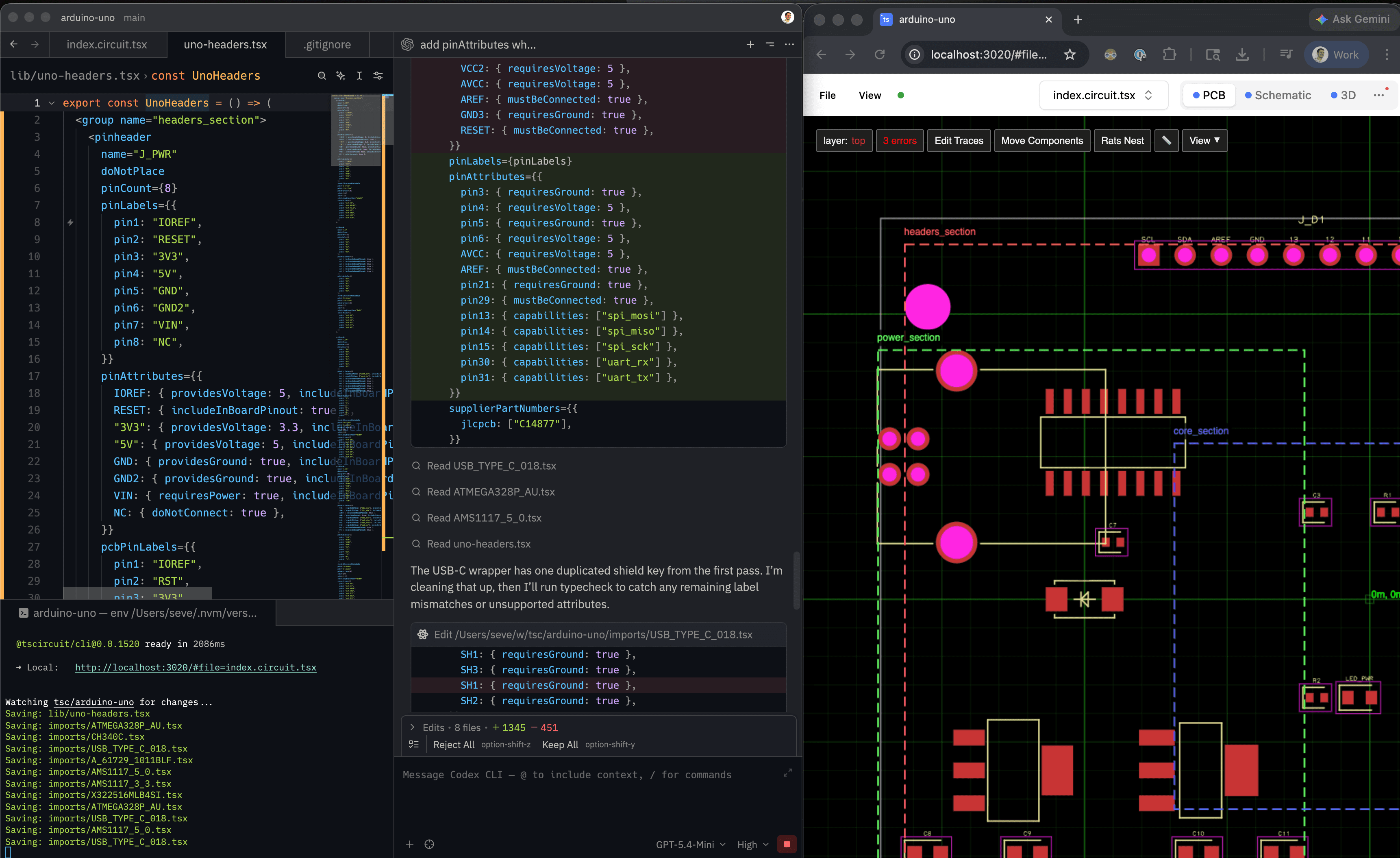
Export every format you need
Download PCB, schematic, and assembly images plus fabrication files, KiCad, DSN, JSON, and netlists from the same board source.
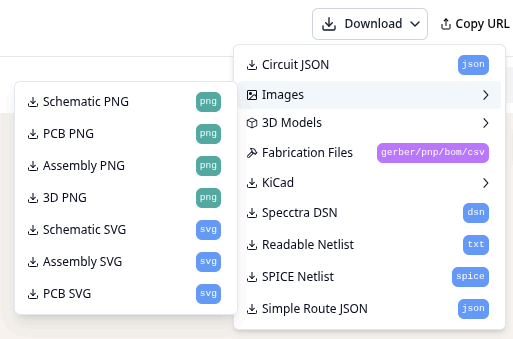
PR-native schematic review
Visual diff of schematic + PCB right inside GitHub. Approvals, comments, rollback.
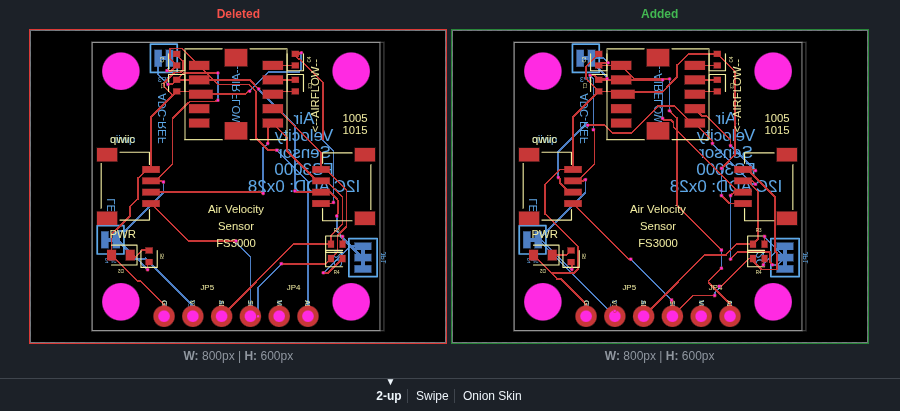
Open & forkable
MIT licensed. 10,000+ footprints in registry. Contribute yours back.
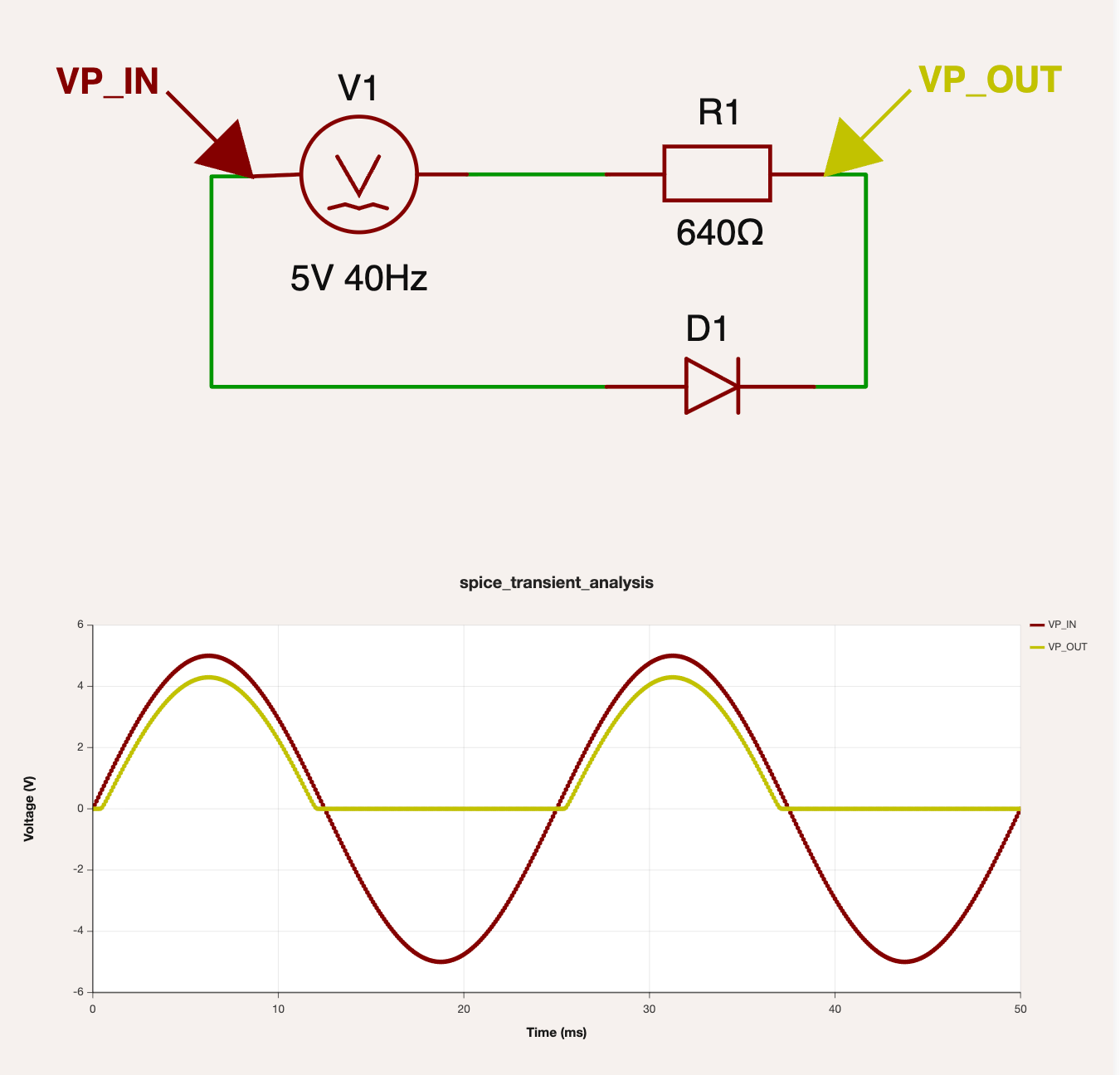
Analog Simulation
Run analog simulations in your browser or on the command line via WebAssembly ngspice.
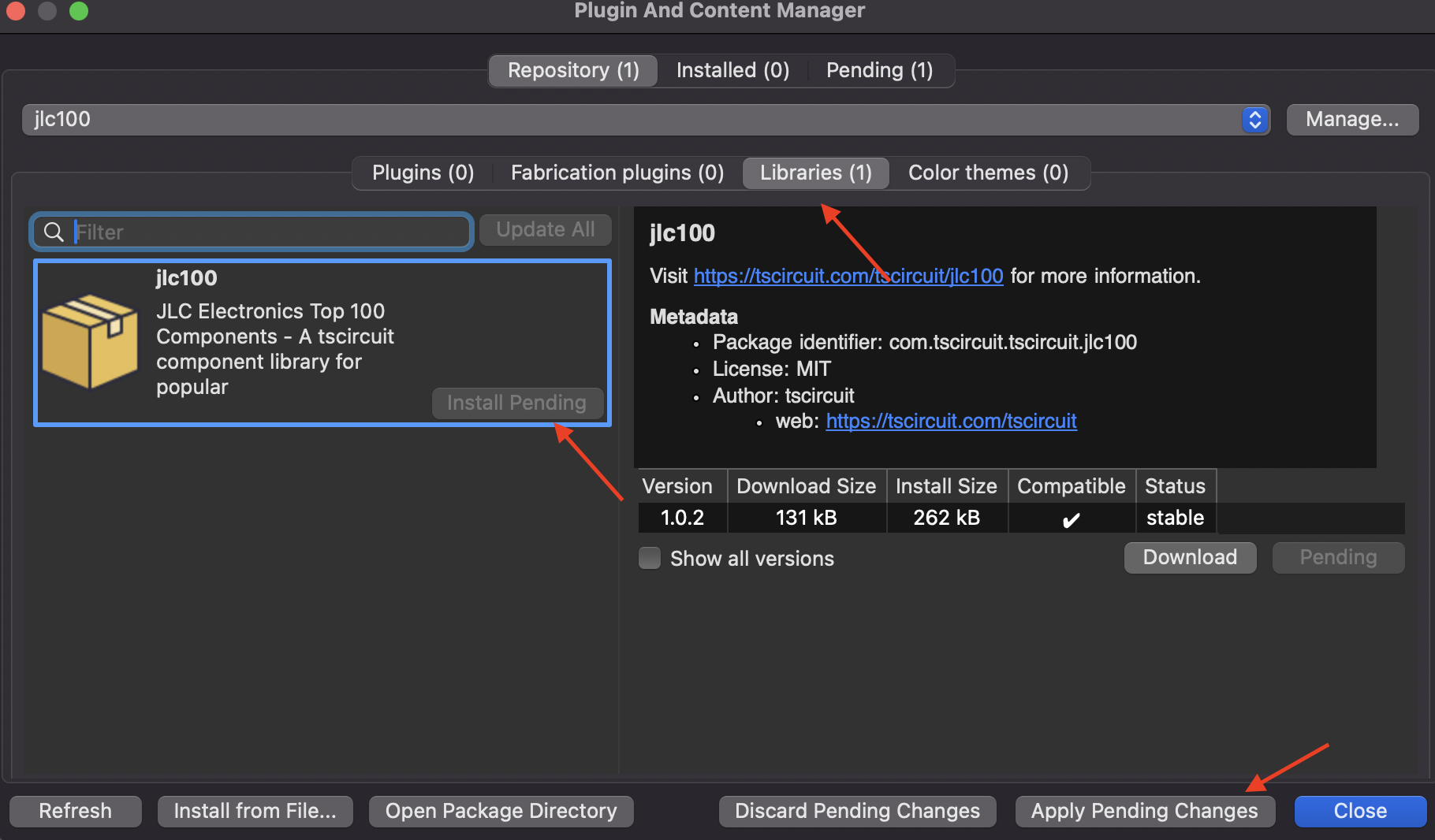
First Class KiCad Support
Import your library anywhere. Enable KiCad PCM to have every tscircuit package automatically serve components and subcircuits as importable KiCad modules.
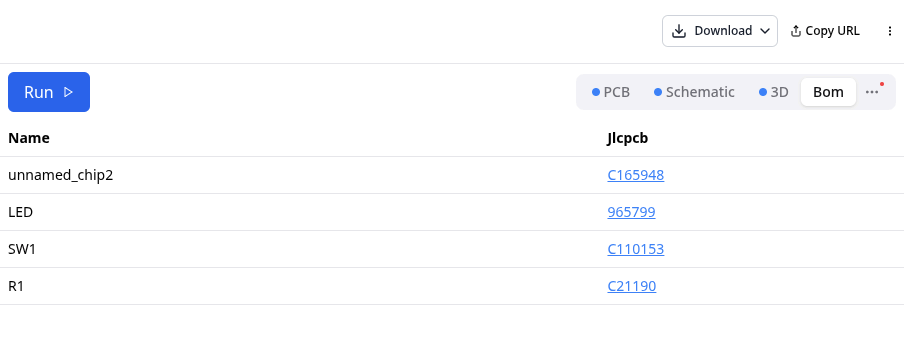
Automatic Part Selection
Specify parts without part numbers. Bill of materials automatically generated based on realtime availability from supplier integrations.
Instant previews in the browser.
Every save re-renders the schematic, PCB, and 3D view — the same loop you have with Next.js or Vite, but for hardware. No IDE to install, no toolchain to babysit. 50+ reference boards ready to fork.
Open playground →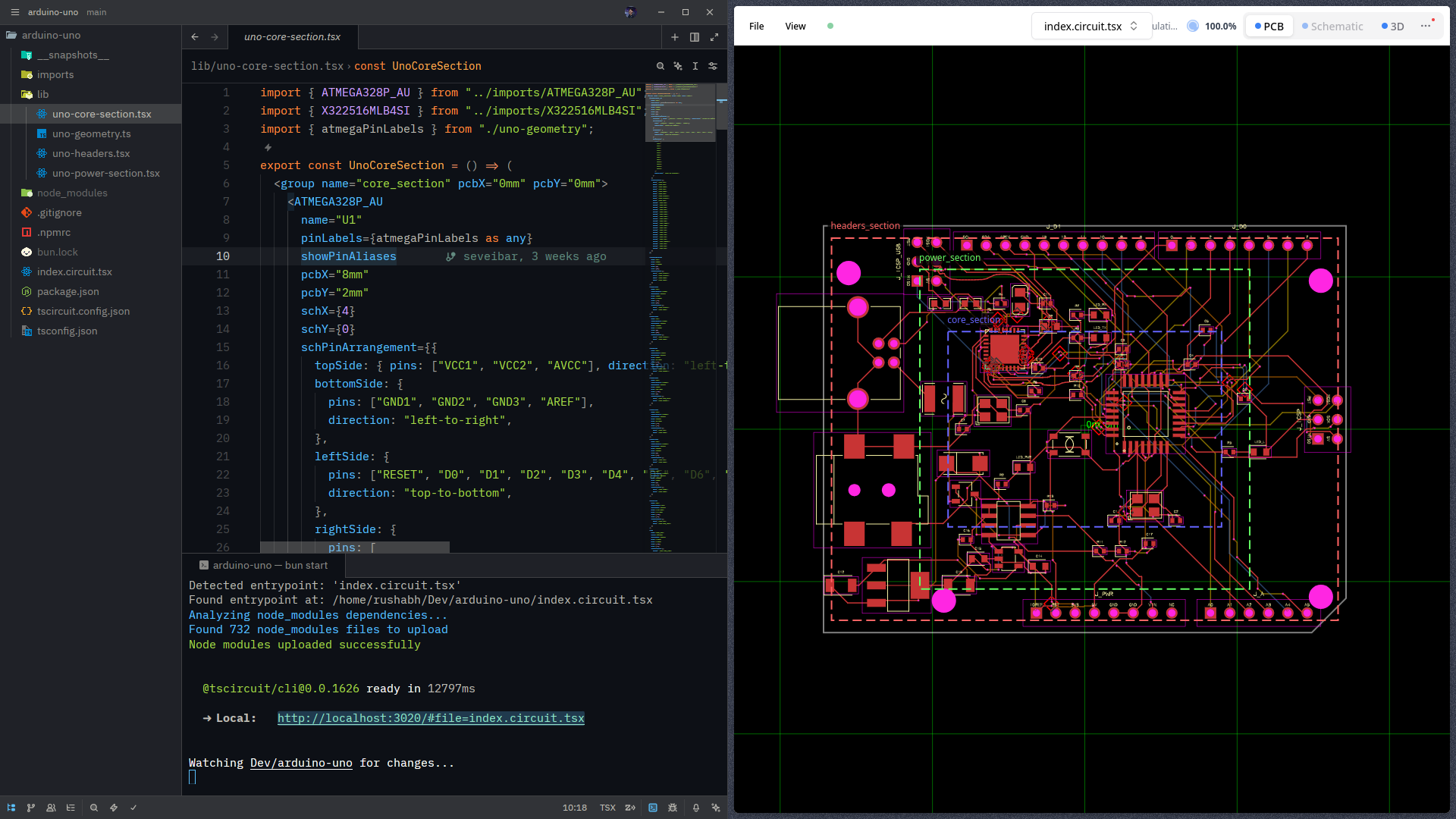
Boards teams actually sent to fab.
Questions people ask before trying tscircuit.
A quick pass over licensing, workflows, imports, and the API surface.
Can I use tscircuit commercially?
You can use tscircuit for commercial purposes. tscircuit is under the same permissive MIT license as Node.js, React, and thousands of other popular projects you are likely already using!
Can I import designs from other software?
tscircuit has some support for importing designs from other software, but it's not yet fully featured. You should file an issue on our GitHub if you'd like to see a specific format supported.
Can I use tscircuit locally?
Yes, you can use tscircuit locally using the tscircuit CLI, but we recommend starting with the web-based application for simplicity.
Can tscircuit make schematics? Is it extra effort?
tscircuit always renders both a schematic and PCB. Unlike traditional EDA where the schematic capture and PCB layout are separate processes, tscircuit combines them by allowing a user to specify constraints and automations. This means that you can design a schematic and then immediately see a PCB layout or vice versa.
What exactly is tscircuit?
tscircuit is a React/TypeScript framework for designing electronic circuits programmatically.
Instead of using traditional graphical interfaces, you write code to define components, their connections, and layout constraints. This "electronics design as code" approach unlocks powerful capabilities like reusable packages, continuous automation, parameterization, and integration with modern software development workflows like version control with Git.
While the core of tscircuit is the framework, the term "tscircuit" often refers to the broader ecosystem built around it. This includes:
- The online development platform and registry (tscircuit.com)
- The command-line interface (CLI) for local development
tscircuit is a modern, web-first approach to hardware development. To learn more about the core concepts and architecture, visit the official documentation.
Can I use tscircuit programmatically?
Yes, you can use tscircuit programmatically with these packages:
- @tscircuit/core - Execute tscircuit React code directly in Node, Bun, or a browser to create Circuit JSON
- @tscircuit/eval - Dynamically run tscircuit code with automatic import handling and transpilation support built in
- @tscircuit/runframe - React components for viewing and running circuits in the browser
How do I display tscircuit circuits on my website?
tscircuit code builds into Circuit JSON, you can then use the CircuitJsonViewer component inside @tscircuit/runframe to display the Circuit JSON on your website as a schematic, PCB, or 3D view.
What is Circuit JSON?
Circuit JSON is a JSON format for representing electronic circuits. It is a sort of assembly language for electronic circuits. All tscircuit designs are compiled to Circuit JSON as the intermediary format.
Start building your first circuit now.
Open the playground, preview instantly, and move into the CLI and registry when you want repeatable workflows and shared components.
We're hiring EEs, compiler nerds, and autorouting wizards.
Remote-friendly. Work on the stuff you wish existed when you were at your last hardware job.